
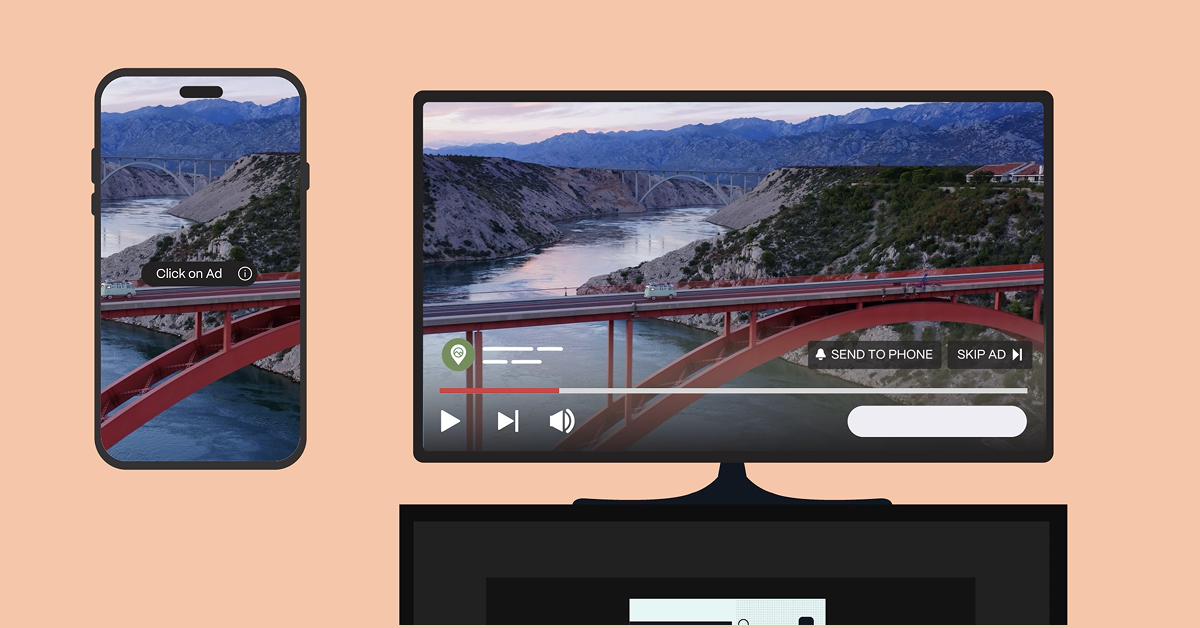
How to Click YouTube Ads on TV Screens

YouTube ads on TV are interactive – they just work differently than on mobile or desktop. Here’s how viewers engage, depending on the screen they’re watching on.
Smart TVs & Streaming Devices
(Roku, Fire TV, Apple TV, Chromecast, and more)
When an interactive YouTube ad appears, viewers may see a CTA like “Learn More” or “Shop Now.”
How it works:
- Use the remote’s arrow keys to highlight the CTA
- Press OK / Enter to engage
- The ad may open:
- A brand’s YouTube channel or promoted video
- A QR code to scan with a phone
- A prompt sent to a connected mobile device
- A brand’s YouTube channel or promoted video
Gaming Consoles
(Xbox & PlayStation)
Ads work the same way – just with a controller instead of a remote.
How it works:
- Use the joystick or D-pad to highlight the CTA
- Press A (Xbox) or X (PlayStation) to interact
Second-Screen Pairing (TV + Mobile)
If a viewer’s phone is paired to their TV using YouTube’s “Watch on TV” feature, interaction may shift to mobile.
How it works:
- The ad sends a prompt to the viewer’s phone
- The viewer taps on mobile instead of using a remote
- Engagement is still tied back to the TV ad
The Takeaway
There’s no traditional “click” on TV – but YouTube’s interactive formats make engagement simple, intuitive, and measurable across screens.
Want to Learn More?
Reach out to learn how Pixability helps brands navigate YouTube advertising across TV screens, mobile, desktop, and beyond – from strategy to activation to measurement.
Don’t YouTube Without Us.